A wise person (on a podcast) once said, "There are no experts or best practices when it comes to using AI for your job. There are only people who have experimented more than you." We're in an important phase where the best way to learn this world changing thing is to experiment with it. The idea with this site is that you follow the modules in order and with each one, you build the foundation on which you can experiment. (Except for image generation. That's more like a side quest.)
These are a few small tips that will help you get more value out of the AI.
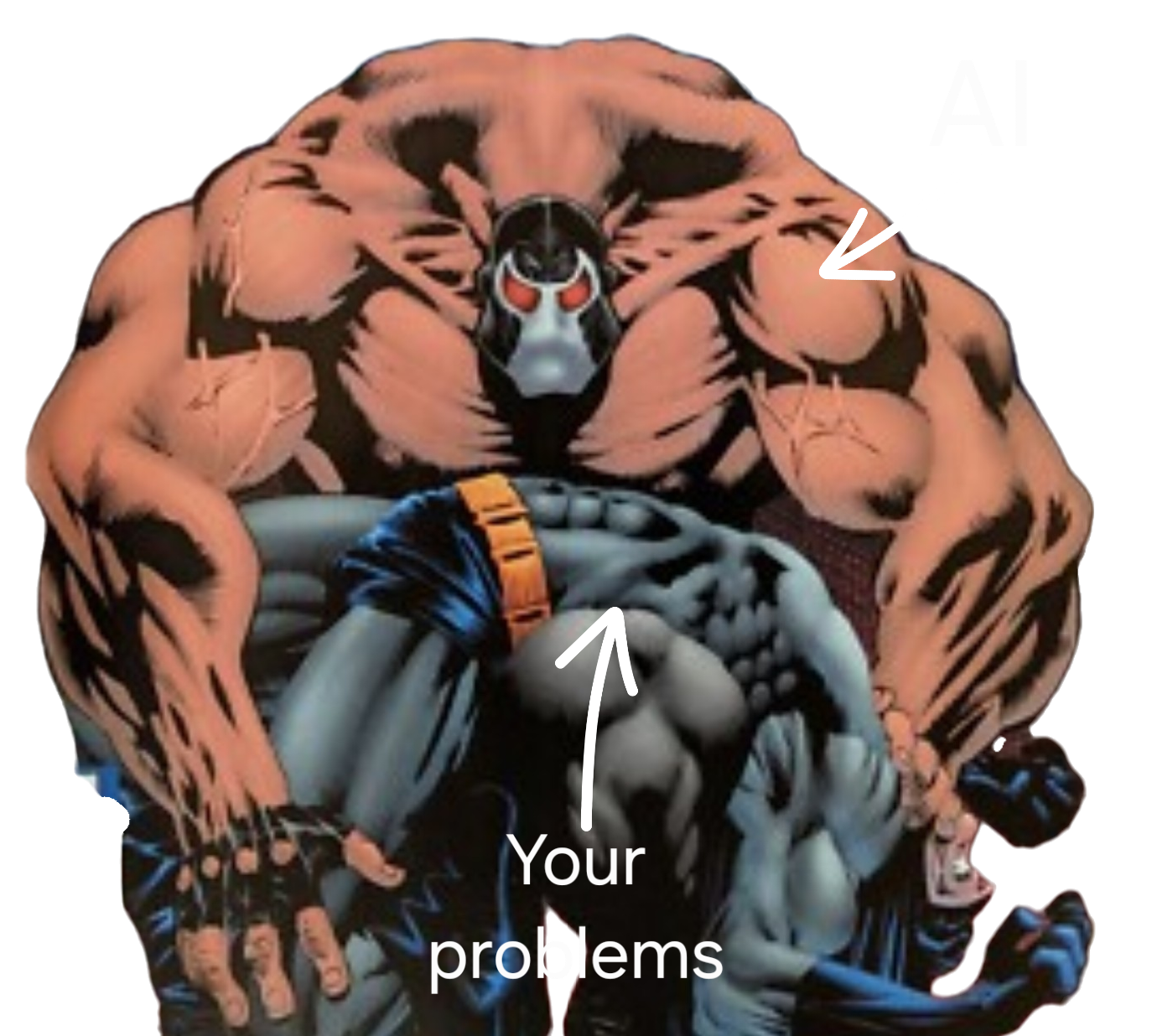
- Meta prompting: ask the AI to improve your prompt before having it run the task. It's the steroids Bane uses before he gets huge and breaks Batman's back.
- Prompt engineering might not be useful a couple years from now, but as of 2026, it is still important for getting the best possible output from the AI. I am including a link to an app I built called Promptimus Prime, which is a prompt optimizer. It guides you through the process of writing a prompt. It also has some built in AI features that rewrite the final prompt, so it's like super ultra meta prompting.
- Have the AI ask you questions to surface information before you proceed with a task. The context portfolio in module 3 is a good example of this. Tell it your goal and ask it to interview you until it has enough information to complete the task.
- Don't be afraid to ask the AI dumb questions. The AI has no feelings, opinions, or expectations. It also has boundless patience. Never hold yourself back from asking the AI a question because you think it's dumb. You miss 100% of the dumb questions you don't ask AI. 60% of the time, the question is not dumb 100% of the time.
- Tell the AI to ask you questions if anything is unclear. A lot of times I end my prompts with "Ask me up to five questions if anything is not clear." That helps avoid a lot of wasted time going down the wrong path.
- Think of the AI as a partner, instead of as a tool. A lot of people get weird about anthropomorphizing AI, but there really isn't a better way to understand how it works and how we should work with it. It has its own perspective and it can add to and improve on your ideas. We have to appreciate that to get the most out of AI.
 Open Promptimus Prime →
I still use Claude and ChatGPT on my phone all the time, but for any serious task, like making an app or website, I always use the desktop app.
Here's the link to download it onto your computer:
Download Claude → download Codex →This is an AI powered tool that interviews you and builds 10 files for you that are all about you, what you do, your preferences, how you work, etc. Then you can give those files to whichever AI you're working with and it will reference that information every time you interact with it. Imagine the difference between asking someone who knows you really well to do something, as opposed to asking a complete stranger to do the same task. Maybe that was an obvious analogy. I should have asked Claude to write it.
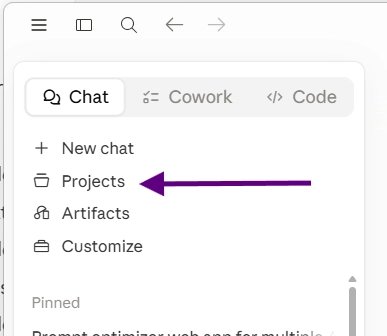
Open the interviewer →As you figure things out, this will be where you go to ask the AI questions. You'll create a project called knowledge, or something. Then you dump your context portfolio into it, and add some explainer that you are learning how to do this stuff and you don't have any prior knowledge of coding (unless you do). Then you start a chat where you'll ask all of your questions. You can always go back to this chat with questions. No need to create a new one each time. You'll never fill up the context window by just asking questions.
To be honest, I don't do this myself. When I have questions, I ask them in the chat that I am working in. That works for me, but some people find the thought partner really helpful. I think the key to getting value from it is to be clear with it about what you are doing, what your goals are, and to be consistent with it.
Bonus Tip: When asking the AI a question about something you're doing, giving it a screenshot is much better than trying to explain what's going on on your screen. Macs have a screenshot app for grabbing areas of your screen instead of a full screenshot. Hit shift + command + 4 to snip a selected area.
This is one place that the context portfolio really pays off. Each project is a group of chats that share context, so for example, you could have a project for a topic that you ask about a lot, such as caring for house plants. Then you could upload the spreadsheet you made to track all of your house plants, and specific articles or websites that you reference a lot related to house plants (this is a real example from my life, btw). Then every time you have a questions about house plants, the project will load all of that context, along with all of your previous chats in the project, so you don't have to reexplain what plants you have, your lighting conditions, your soil preferences, etc. It will know all of that important information before responding, resulting in better answers faster.
It's kind of obligatory for any AI training. Create some stuff. Get weird. See what works and what doesn't. Google Gemini and ChatGPT are the two easiest ways to create images. Anthropic is too busy making money to develop a image generation model.
BTW, you don't need to make any weird, almost real photos of loved ones. But you can turn your loved ones into dogs, if that's what you're in to.

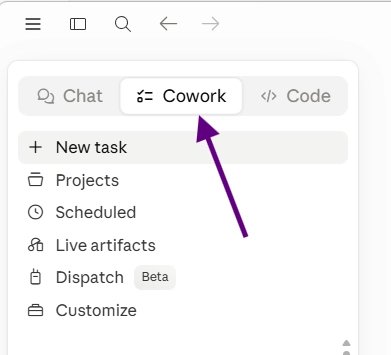
A more powerful way of interacting with Claude. It can autonomously modify files on your computer or take control of your mouse and keyboard to complete tasks in the same way a person would. It can also do scheduled tasks, like creating a daily brief to prepare you for the day.
Honestly, though, once I got comfortable using Claude Code, I couldn't find a good reason to use Cowork again.
This will probably end up being the way you use AI most of the time, or at least for any big task. You don't need to know anything about coding, and it's the most powerful way to interact with Claude. The following items on this list are used in Claude Code (although a couple also work with co-work).
The link below will take you to a great article about using Claude Code without all the code crap.
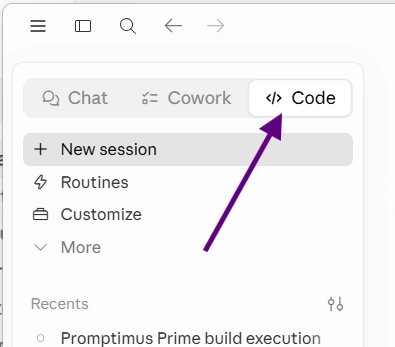 Read the Claude Code article →
These give Claude (or Codex) access to existing apps like Canva or Gmail. What the AI can accomplish on specific tasks with tools is way beyond what it can do on its own, like a person trying to build a house with their bear ass hands, and then getting power tools.
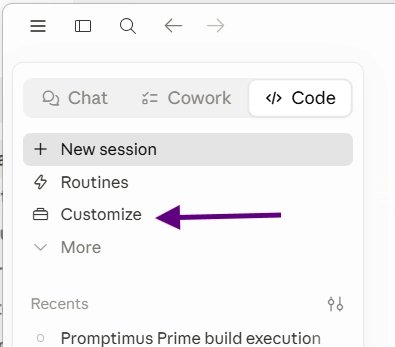

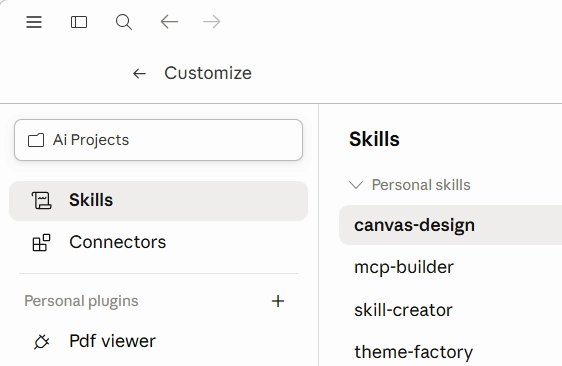
Kind of like tools in that you use a skill to help you with a specific task, but skills are more like a playbook. I found that I was giving the AI basically the same design direction every time I created a website, so I created a skill that I called "spiderverse-design" that included all of those directions. Now all I have to do is mention that skill in the prompt.
Below I have a link to "Skill Rabbit," which is an app I built to walk you through the process of creating a skill. I also have a link to "Skills Master Class," which is a quick, self guided program to teach you the fundamentals of skills.
 Skill Rabbit →
Skills Master Class →
Skill Rabbit →
Skills Master Class →
/goal is a command that you add to a prompt that will make the AI go through a loop until it accomplishes a task. It requires a concrete measure of success, like a rubric, so that it knows when it's done. This is a fundamental change in how we can work with AI, and it didn't exist two weeks ago (or however long ago May 2026 was).
While /goal works until it completes a task, /loop is a command that runs on a schedule forever. Honestly, I'm still trying to figure out practical use cases, but everyone is saying that loop engineering is the new hot thing. I recently created an app called "Loop Agent Builder" to help me work through the process of setting up a loop. I haven't tested it yet (as of 7/1/26) but I put the link below in case you want to try it.
Below are links to two training programs created by the AI Daily Brief. They are free, and are both a great way to build your AI skills. AgentOS is an 8 module, self guided training for working with agents. AI Summer Adventure (btw, I made this site two months before they launched theirs, in case you are wondering who copied whom) is a choose your own adventure style learning experience with different modules you can try. Either of these are a great next step.
In addition, I am including the link to my Gemini Notebook, which pulls together about 50 sources to cover more advanced Claude Code stuff. If you are not familiar with Gemini Notebook, this is a great opportunity to learn about another extremely useful AI tool.
Open AgentOS → AI Summer Adventure → Open Gemini Notebook →